Razorpay
- INR
The default for stores charging in rupees.
Cards, UPI, netbanking and wallets.
- Generate a key pair in the Razorpay dashboard and paste it in — that is the whole setup.
- Refunds settle back automatically through a signed webhook.
CordeliaApps gives a grocery or retail store owner a branded shopping app — catalog, cart, coupons and card, UPI and wallet checkout — without building or submitting an app, and without giving up a cut of any sale.
Payments settle straight into your own Razorpay or Stripe account, in rupees, euros, pounds or dollars. CordeliaApps is free to use — no subscription, no setup fee, and never a share of your revenue.
Two providers are integrated. You connect one, and your storefront never names it — pasting a key is how you choose.
The default for stores charging in rupees.
Cards, UPI, netbanking and wallets.
For everywhere else — and for rupees too, if you prefer it.
Cards and wallets. Which methods a shopper is offered is decided by Stripe from your account's country and the order's currency.
No platform wallet in the middle. A shopper pays and it lands in the account whose keys you pasted, on your provider's own settlement schedule.
The server prices the cart, then confirms the payment with the provider before writing the order. The app is never trusted for an amount.
Your secret is encrypted before it is stored and is never sent to the shopper app. Each store's keys are its own.
Cancelling an order restocks it and returns the money. Retrying a failed refund can't pay a shopper twice.
Keys for both providers are stored independently, so switching is one click and does not mean re-entering anything. How checkout works.
A template restyles the entire shopper experience at runtime — theme, layout, navigation, icons and motion — over the same store data. Switching is one dropdown.
Premium grocery. Sheet-and-header layout, soft depth.
Clean daily-essentials mart. Stacked nav, carded rows.
Playful gradient grocery. Domed sheets, staggered grid.
Every template implements every shopper screen — no store ever falls back to another template’s design.
Three steps between signing up and taking your first online order.
Sign up, name your store, pick your currency and language, set your delivery area and connect your own Razorpay or Stripe account. Nothing to install, no developer needed.
Choose gravia, dailymart or grofast, then build your catalog: categories, brands, per-size pricing, promo banners and coupons.
Saving publishes your store inside the shopper app. A new storefront is a data change, not an app submission — so there is no review queue to wait on.
One shopper app hosts many stores, so anyone already shopping a CordeliaApps store can shop yours with the same account, saved addresses and payment flow. The storefront reads in six languages, and shoppers can switch on their own device.
The console is a separate surface from the shopper app. It is where the store, the catalog and the day's orders are run.
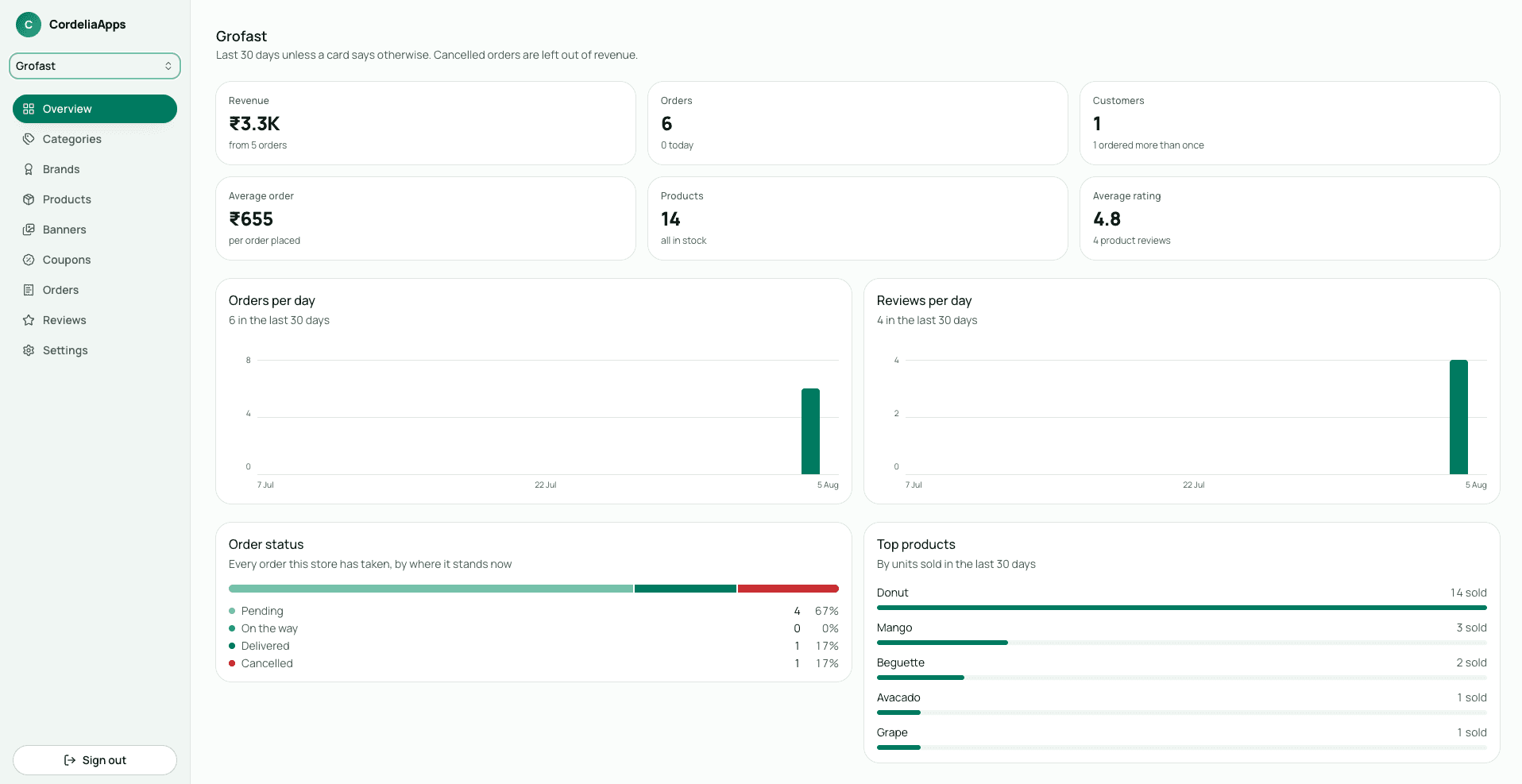
The parts of the platform that touch money and customer data are the parts we are most specific about.
Every store's catalog, orders and payments are namespaced. A store admin can only touch their own store, and a shopper can only see their own data.
A shopper can delete their account from inside the app, which removes their profile, addresses, cart, wishlist, searches and every review they wrote. Your orders stay — they are your sales records, not theirs.
Passwords are never stored by us, and your data is encrypted in transit and at rest.
Every status change is timestamped and shown to the shopper as a dated timeline — no fake pipeline steps.
No subscription, no per-order cut, no setup fee.
The shopper app and the admin console cost you nothing to use. There is no per-order cut and no settlement delay imposed by us — your payment provider settles shopper payments into your own account on its own schedule.
No. CordeliaApps never takes a commission on your sales, because shopper payments are settled by Razorpay or Stripe directly into your own account with that provider and never pass through us.
Nothing. The shopper app and the admin console are free to use: there is no subscription, no setup fee and no per-order cut. You will still have your own Razorpay or Stripe account for taking payments, and that provider's own transaction fees are between you and them.
No. One CordeliaApps shopper app hosts every store, so your customers use the app they may already have rather than installing something new. That is how your store has shoppers on day one instead of starting at zero downloads.
Yes. Switching between gravia, dailymart and grofast is one dropdown in the admin console, and there is no data migration because a template restyles the shopper experience at runtime over the same store data.
No. Creating your store, picking a template, adding products and running orders are all done in the admin console, so no code, no build step and no app submission is involved.
Your data stays yours. Ask us and we will give you a full copy of your catalog and order history, so you can take them with you if you stop using CordeliaApps. There is no self-serve export button in the console yet — it is on the list.
Yes. You can compose a notification with optional artwork and send it to shoppers who follow your store, and every order transition — placed, on the way, delivered, cancelled — notifies the shopper automatically. Each message also lands in the in-app notification centre, so it is not lost if a push is missed. Push is live on Android; iOS push is not enabled yet.
Razorpay and Stripe. Razorpay handles INR and covers cards, UPI, netbanking and wallets. Stripe handles INR, EUR, GBP and USD, with the available methods decided by your account's country and the order's currency. You connect one, your keys are stored encrypted, and switching between them is one click.
Yes. A store sets its own currency and language: prices can be charged in rupees, euros, pounds or dollars, and the storefront reads in English, German, French, Spanish, Italian or Hindi. Amounts, dates and currency symbols are formatted for the shopper's locale automatically. One thing to know: address autocomplete and postal-code lookup are available in India today, so shoppers elsewhere type their delivery address in full.
Create your store, pick a template and start adding products. We are currently onboarding early stores.
We'd like to measure how people find and use this site, using Google Analytics. Nothing is loaded until you choose, and we never use it for advertising. Privacy policy